Failed to generate jwt token for: com.apple.weatherkit.authservice
Apple WeatherKit may fail even when your Swift code is correct. The problem is often not the weather request itself, but WeatherKit authorization.
The typical error looks like this:
Failed to generate jwt token for: com.apple.weatherkit.authservice with error: Error
Domain=WeatherDaemon.WDSJWTAuthenticatorServiceListener.Errors Code=2 "(null)"
The real cause you might miss
Many developers correctly enable WeatherKit in Xcode and still get this error.
The reason is that WeatherKit must be enabled not only in the app capabilities configuration, but also separately in the Apple Developer portal under App Services.
This second switch is essential and easy to miss because Apple exposes WeatherKit configuration in multiple places.
Correct WeatherKit setup path
- Open https://developer.apple.com/account
- Click Identifiers.
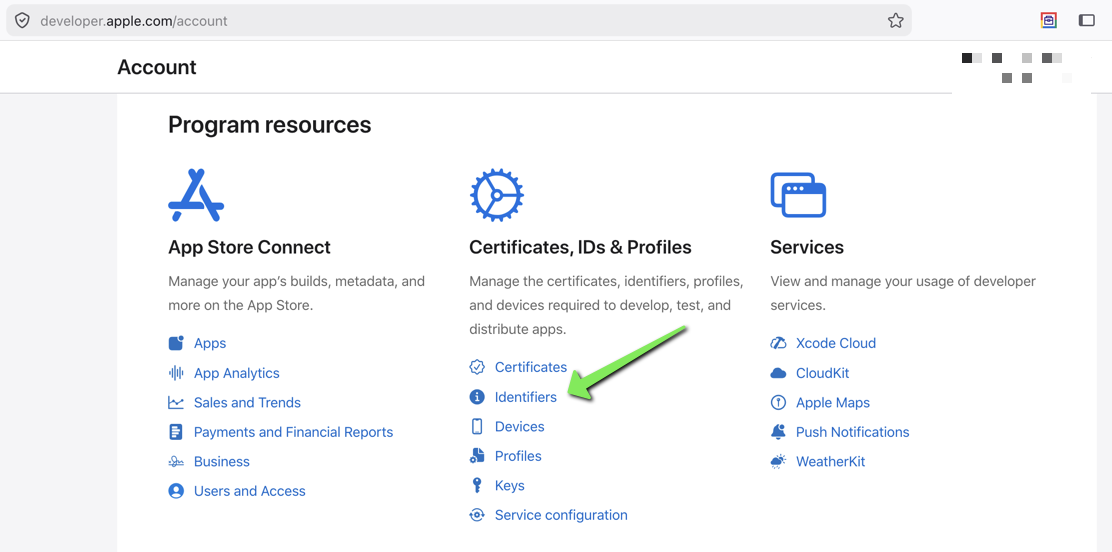
- Select your App ID.
- Ensure WeatherKit is enabled under Capabilities.
- Ensure WeatherKit is also enabled under App Services. This is the important part many developers miss.
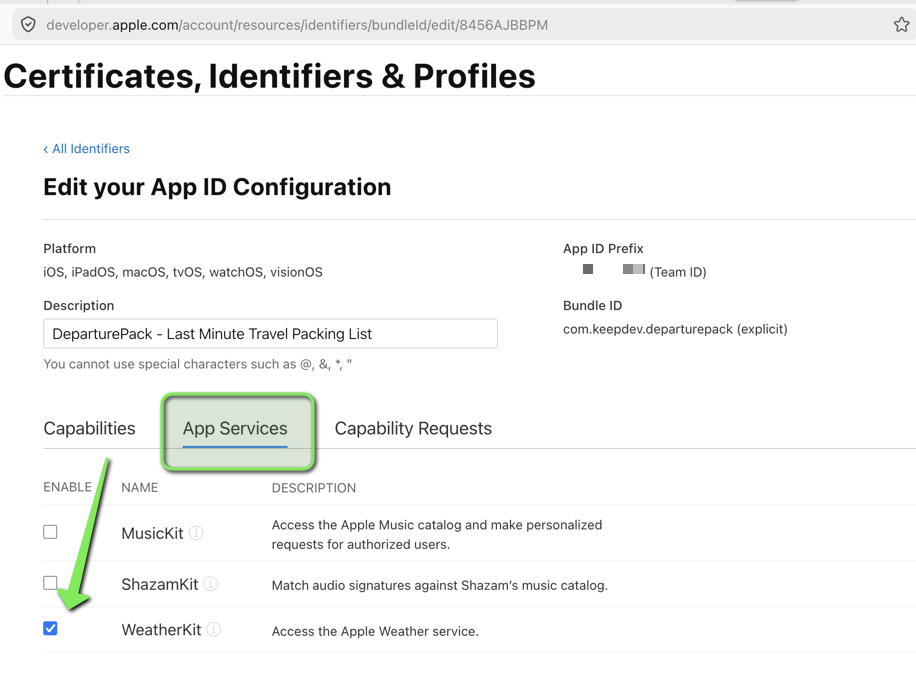
If WeatherKit is enabled only in Capabilities but not in App Services, iOS may fail while generating the JWT token required for WeatherKit authentication.
After changing these settings
The following may also be necessary:
- Regenerate or refresh provisioning profiles.
- Clean the Xcode build folder.
- Delete the app from the device.
- Build and install again.
What not to debug first
Do not start by rewriting your WeatherKit request code, changing coordinates, debugging JSON parsing, or replacing async calls.
If the error says that the JWT token cannot be generated, first check Apple Developer configuration, App Services, Capabilities, signing, and provisioning profiles.
Short answer
The error
Failed to generate jwt token for: com.apple.weatherkit.authservice
usually means that WeatherKit is not fully enabled for the app.
Enable WeatherKit both in Capabilities and in App Services for the correct App ID, then rebuild the app with a fresh provisioning profile.